30 Welcome Emails, Side by Side: The 4 Patterns That Keep Showing Up
The welcome email is the one email almost everybody opens. Someone gave you their address a few seconds ago, they're still on your site, and they're waiting for the thing you promised them. You will never have their attention this cheaply again.
So we went through the welcome emails in our library (380 of them, from 185 brands) and pulled out 30 good ones. Laid side by side, they stop looking like 30 different ideas. Nearly every one is doing one of four jobs:
- The gift: here's your discount.
- The introduction: here's who we are.
- The orientation: here's what you just signed up for.
- The storefront: here's what we sell.
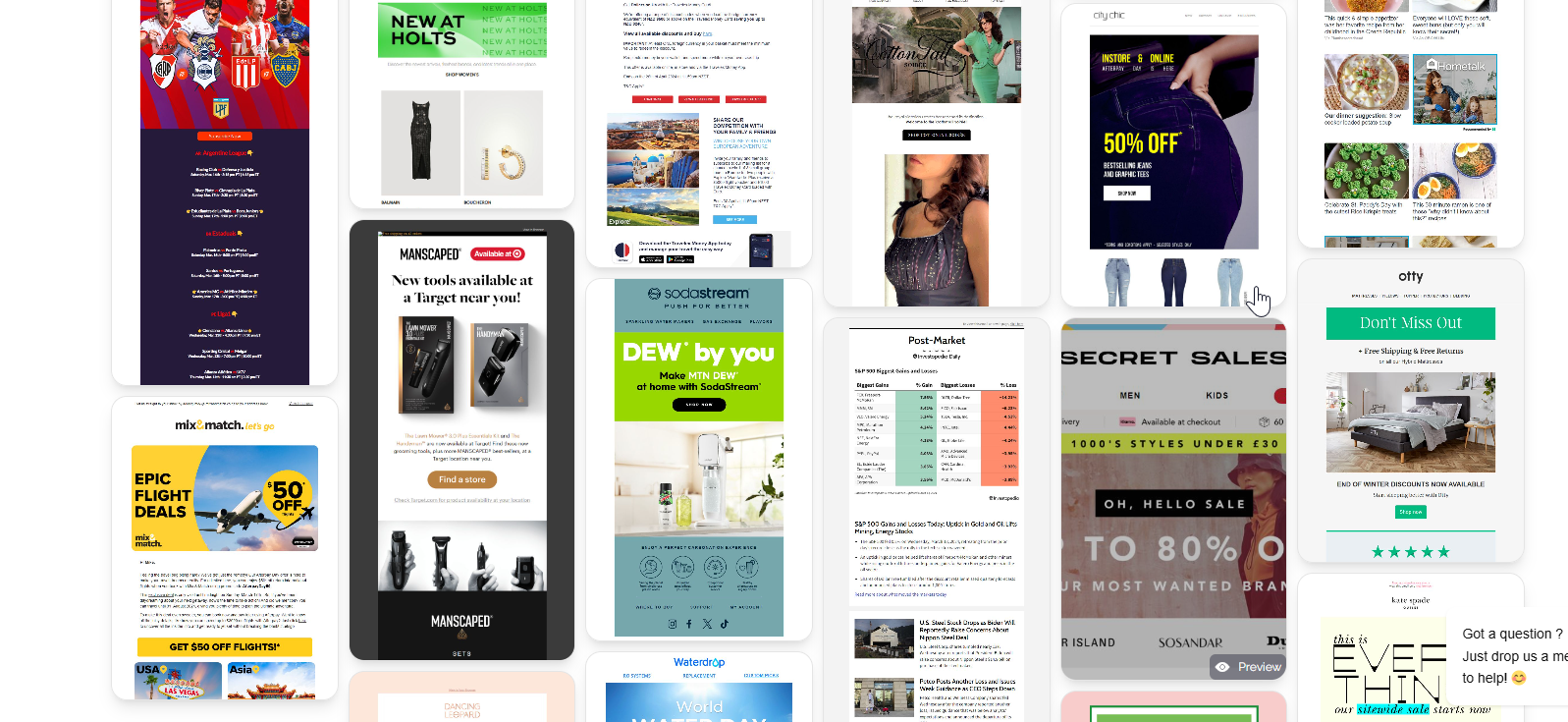
None of these is "the right one". They suit different businesses. Below are the 30 emails, grouped by pattern. Click any of them to see the full email.
1. The gift: lead with the discount
If your signup form promised "10% off your first order", the welcome email has one job: deliver it, fast, where nobody can miss it. The best ones put the code above the fold and stop there.
 Sportfish
 MÁDARA Organic Skincare
 ECOYA
ECOYA MANSCAPED
 Spotlight Oral Care EU
 Groomers Limited
 Blue Bungalow NZ
 Beauty Base
What separates the good ones from the forgettable ones is everything around the code:
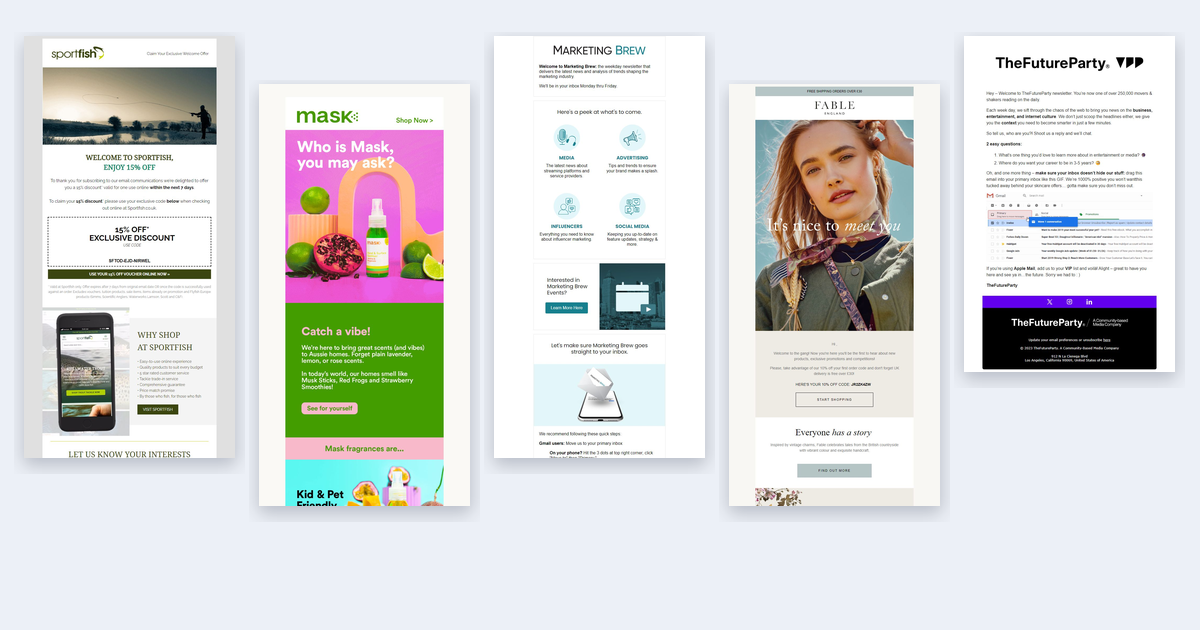
- Sportfish puts the code in a dashed box that looks like a coupon you could cut out, and says up front that it's valid "within the next 7 days". The deadline is in the first paragraph, not the fine print.
- MÁDARA opens with "I was waiting for you…" and a photo of someone lying in a meadow. The code (MADA15) comes second. It reads like a note from a person, not a promotion.
- ECOYA sets the offer in large serif type, the same type as the rest of the email, so even the discount looks like part of the brand.
- Groomers leads with a photo of four dogs and only then says "As a thank you, we'd like to offer you 10% off". Nobody scrolls past four dogs.
Use it when your signup form promised a discount, or you sell considered purchases where a first-order nudge matters. Watch out for training people to only buy with a code. A gift that comes with a story (MÁDARA, Groomers) builds more than a coupon on its own.
2. The introduction: here's who we are
These brands spend the welcome email on themselves: where they came from, what they believe, what makes them different. It works best when the brand has something to say that isn't on every competitor's homepage.


- Mask opens with the question its new subscribers are actually asking: "Who is Mask, you may ask?" Then it answers in one breath: "We're here to bring great scents (and vibes) to Aussie homes. Forget plain lavender, lemon, or rose scents."
- Fable writes "It's nice to meet you" across a portrait, then gives the brand a section of its own, "Everyone has a story".
- Youth To The People introduces itself in three short claims (Superfoods + Science, 100% vegan and cruelty-free, made in California) before it gets to the product grid.
- The London Dungeon never breaks character. The email opens with "WELCOME TRAITOR" and tells you that "from this day on you're doomed to receive updates straight from the Dungeons murky depths". Even the view-in-browser link plays along: "Too dark in the Dungeon to see the email? Click Here."
- Sarah Raven opens with a person holding a flower wreath, not a product, and promises "regular gardening advice, delicious recipes, and updates from Sarah's garden at Perch Hill". For a brand built around one person's garden, that's the whole introduction.
Use it when you have a founder, a point of view or a backstory that people choose you for. Watch out for an "about us" page pasted into an email. The good ones say who they are in one or two lines, then show it.
3. The orientation: here's what you just signed up for
Newsletters and software products have a different problem. There's nothing to buy yet. The subscriber needs to know what's coming, when it's coming, and how to get the most out of it.
 Marketing Brew
 TheFutureParty
 Justin Welsh
 New Scientist Weekly
 MailerLite
 theSkimm
 POPSUGAR Celebrity and Entertainment
- Marketing Brew tells you the schedule in the first two lines ("We'll be in your inbox Monday thru Friday"), then shows "a peek at what's to come" as four topic tiles, then asks you to move it to your primary inbox, with steps for Gmail.
- TheFutureParty asks "2 easy questions" ("What's one thing you'd love to learn more about in entertainment or media?") and invites a reply. Then it shows a GIF of dragging the email into the Primary tab. Replies and that drag both tell Gmail this sender is wanted.
- The Saturday Solopreneur is plain text from Justin, and asks for one thing: "Tell me about yourself by clicking 4 simple buttons." He tells you it takes "less than 20 seconds". Then he says what he'll send, and that every issue "takes less than 4 minutes to read".
- theSkimm doesn't describe the newsletter, it starts it. The welcome to Skimm Money goes straight into its first piece: "Do you really need a 20% down payment to buy a house?"
- MailerLite turns the welcome into a getting-started checklist, because for software the first win is setting up, not reading.
Use it when you publish something regularly, or the product needs setting up before it's useful. Watch out for describing the newsletter instead of showing it. theSkimm and POPSUGAR prove the value by sending some.
4. The storefront: here's what we sell
Some brands skip the ceremony and open the shop. For big catalogs this makes sense: the subscriber came for the products, so show them where to start.
 CorLiving Furniture
 Finish Line
 Magic Madhouse
 Curlsmith Rewards
 John Greed Jewellery
 Canadian Affair
 Sydney Tower Eye
- CorLiving opens with three reasons to trust it (trusted, wholesale prices, designed for you), then goes straight into categories: sofas, accent chairs, TV stands, bar stools.
- Finish Line shows the brands it stocks as a row of logos, then its loyalty program and app. The welcome is a map of the store.
- Magic Madhouse tells you what you'll get ("upcoming releases, new product drops, latest news, exciting sales") and then shows the products those emails will be about.
- Curlsmith adds a quiz, "Find your routine". It's a storefront that asks a question first, so the next email can be about the right products.
- John Greed turns the welcome into a service. Its birthday reminder sign-up means the next email lands when you actually need a gift.
Use it when you have a wide catalog and customers who already know what they want. Watch out for a welcome that looks like every other promo email. Without one line of welcome at the top, it reads like a newsletter you forgot signing up for.
What the best ones have in common
Whatever the pattern, the strongest emails above share a few habits:
- One job above the fold. The code, the introduction, the schedule or the store. Not all four fighting for the first screen.
- They say when they'll show up next. "Monday thru Friday" (Marketing Brew), "every Saturday morning" (The Saturday Solopreneur). People ignore emails they didn't expect.
- They ask one question. A reply, four buttons, a quiz. The answer makes every later email more relevant, and replies help deliverability.
- The discount has a deadline people can see. Seven days (Sportfish), 15 days (MÁDARA), 30 days (Blue Bungalow). A code without a date gets saved for later and forgotten.
- They look like the brand, not like a template. You could cover the logos on Mask, Fable or The London Dungeon and still guess who sent them.
Picking yours
| If you are… | Start with | Borrow from |
|---|---|---|
| A store whose signup form promises a discount | The gift | Sportfish, MÁDARA |
| A brand people choose for its story or founder | The introduction | Mask, Sarah Raven |
| A newsletter, community or software product | The orientation | Marketing Brew, The Saturday Solopreneur |
| A large catalog with repeat buyers | The storefront | CorLiving, Curlsmith |
Most brands end up combining two: a gift inside an introduction (Aje puts its code in the top bar and spends the rest of the email on the brand), or an orientation that ends in a storefront. That's fine. Just decide which one leads.
All 380 welcome emails are in the library, filterable by industry, layout and colour. Browse welcome emails, find one close to your brand, and open it in the editor to make it your own.