Email Segmentation: How to Do It Right and Why It Changes Everything
Email segmentation is the practice of dividing your email list into smaller groups based on shared characteristics — behavior, demographics, purchase history, lifecycle stage — and sending different, more relevant emails to each group. It is consistently the single highest-impact improvement most email programs can make, because relevance is the root cause of almost every email metric that matters.
Quick Answer: Segmented campaigns generate 15–30% higher click rates and 760% more revenue than non-segmented sends, according to DMA research. The biggest mistake in email marketing is treating a diverse list of thousands as a single homogeneous audience. Segmentation is how you stop making that mistake.
Why Segmentation Matters This Much
Consider what happens when you send the same email to:
- A first-time visitor who just signed up for your newsletter
- A customer who's bought from you 12 times in the last year
- A prospect who downloaded a guide 3 months ago but never converted
- A long-time subscriber who hasn't opened in 4 months
Each of these people is in a fundamentally different place in their relationship with your brand. They have different knowledge levels, different trust levels, different intent signals, and different needs. Sending them the same "SUMMER SALE — 20% OFF" email is, at best, wasted opportunity. At worst, it's actively damaging — hitting unsubscribe from someone who would have responded perfectly to a different message.
Segmentation is the mechanism for matching message to moment.
The 5 Most Effective Segmentation Approaches
1. Lifecycle Stage Segmentation
The most fundamental segmentation. Groups contacts by where they are in their relationship with you.
| Segment | Who They Are | What They Need |
|---|---|---|
| New subscriber | Signed up, no purchase | Introduction, trust-building, first-purchase incentive |
| Active trialer | In a free trial or evaluation | Activation guidance, aha moment, proof of value |
| New customer | First purchase within 30 days | Onboarding, product education, cross-sell |
| Returning customer | 2+ purchases, still active | New arrivals, loyalty benefits, referral ask |
| VIP / top customer | High LTV, frequent buyer | Exclusive access, early launches, personal outreach |
| At-risk | Engagement declining | Re-engagement, win-back incentive |
| Churned / lapsed | No purchase or engagement in 90+ days | Win-back sequence or sunset |
This segmentation alone — separating your list into 4–5 lifecycle stages — will produce meaningful improvement over a flat-list strategy.
2. Behavioral Segmentation
Groups contacts by what they actually do (or don't do) in your emails and on your website/app.
Email behavior:
- High engagers: Opened or clicked in the last 30 days → prioritize for new campaigns, A/B tests
- Warm: Opened in the last 30–90 days → standard cadence, watch for decline
- Cold: No engagement in 90+ days → re-engagement sequence, then clean
Website/app behavior:
- Visited pricing page → buying intent signal → move to sales-qualified sequence
- Browsed a specific product category → send category-relevant content
- Used Feature A but not Feature B → send Feature B adoption campaign
- Completed onboarding → move to engagement sequence; skipped onboarding → re-trigger setup guide
Purchase behavior:
- Bought Product X → don't show them Product X ads; cross-sell related products
- Bought once → encourage second purchase (the second purchase predicts long-term retention)
- High average order value → VIP segment; upsell premium offerings
3. Demographic / Firmographic Segmentation
Groups contacts by who they are rather than what they've done.
For B2C:
- Age, gender, location (for location-specific campaigns, timezone-adjusted sends)
- Device type (mobile-heavy vs. desktop readers)
- Customer tier (if you have tiered pricing or loyalty programs)
For B2B:
- Company size: Different messaging for SMB (speed, ease, cost) vs. enterprise (security, compliance, team adoption)
- Industry vertical: Healthcare vs. retail vs. fintech customers have different pain points and vocabulary
- Role: CEO/founder (strategic) vs. manager (workflow) vs. practitioner (features/how-to)
- Revenue range: Determines budget sensitivity and ROI framing
The highest-impact B2B segmentation move: Splitting by role/persona. A single email that works for an engineer will often alienate a C-suite executive, and vice versa.
4. Preference-Based Segmentation
Groups contacts by what they've told you they want.
How to collect preferences:
- Signup form with topic checkboxes ("What are you most interested in?")
- Preference center — a page where subscribers manage their own preferences
- Survey or one-question email ("What would you most like to see from us?")
- Behavioral inference (what content they've clicked on in past emails)
Why this works: Subscribers who receive content they've explicitly asked for stay on lists longer, engage more, and complain less. Preference data also gives you a reason to send more frequent emails without increasing unsubscribes — because you're only sending what each person wants.
5. Source / Acquisition Segmentation
Groups contacts by how they joined your list.
Different acquisition sources predict different subscriber intent and behavior:
| Source | Typical Intent | Best Approach |
|---|---|---|
| Organic blog reader | Informational, exploring | Education-first, slow burn nurture |
| Paid ad signup | Likely price-sensitive | Fast value delivery, clear offer |
| Referral | High trust (peer recommended) | Social proof, community angle |
| Event / webinar | Topic-specific interest | Follow up with related content + product connection |
| Content download (gated) | Research mode | Nurture with related content before pitch |
| Free trial signup | Evaluating your product | Activation-focused welcome sequence |
A lead magnet download and a paid ad signup are at very different points of intent. Treating them the same wastes the organic trust you've built with the first group and moves too slowly for the urgency of the second.
How to Set Up Segmentation (Practically)
Step 1: Audit what data you have
Look at your ESP and CRM. What fields do you actually have populated for a meaningful percentage of contacts?
Common available data:
- Signup date (lifecycle stage)
- Last open / last click date (engagement level)
- Tags applied at signup or through automations
- Source/medium (from UTM parameters on your signup forms)
- Purchase history (for e-com, if connected)
Step 2: Start with 3 segments, not 30
The trap: trying to build a perfect, 15-segment taxonomy before sending anything. Start simple:
Minimum viable segmentation:
- New (signed up in last 30 days)
- Active (engaged in last 90 days)
- Inactive (no engagement in 90+ days)
Send different content to each. Measure the difference. Then add more segments as you learn what matters for your specific audience.
Step 3: Build segments as automations, not manual lists
In most ESPs, you can create dynamic segments that automatically update based on rules:
- "Add to 'Inactive' segment when: last email click > 90 days ago"
- "Add to 'New customer' segment when: first purchase occurs; remove after 30 days"
Dynamic segments stay accurate without manual maintenance. Static lists go stale immediately.
Step 4: Customize content per segment — meaningfully
The point of segmentation is to send different things. The minimum viable difference:
- Different subject lines
- A different opening paragraph
- A different CTA or offer
Ideal: entirely different emails that speak directly to where each segment is in their journey.
Measuring Segmentation Impact
Track these metrics before and after adding segmentation:
| Metric | Expected Change |
|---|---|
| Click rate | +15–30% |
| Unsubscribe rate | Decrease (more relevant = fewer unsubscribes) |
| Conversion rate | +20–50%+ |
| Revenue per email | Significant increase |
| Spam complaints | Decrease |
Frequently Asked Questions
What is email segmentation?
Email segmentation is dividing your email list into smaller, targeted groups based on shared characteristics — like lifecycle stage, past behavior, demographics, or preferences — and sending tailored messages to each group rather than one generic email to everyone.
How many segments should I have?
Start with 3–5 and grow from there. The right number is the number that meaningfully changes what you'd say to each group. If 8 of your 10 segments would receive nearly identical emails, you have too many.
Does segmentation really improve email performance?
Yes. Segmented campaigns consistently outperform non-segmented sends: 15–30% higher click rates and significantly higher conversion rates are well-documented. The improvement is more pronounced the larger and more diverse your list is.
What data do I need to start segmenting?
You already have what you need: signup date (lifecycle stage) and last engagement date (activity level). Those two data points allow you to create meaningful segments immediately, before you have rich behavioral or demographic data.
How is segmentation different from personalization?
Segmentation sends different messages to different groups. Personalization customizes content for each individual within a group. Both matter, but segmentation should come first — group-level relevance is the foundation that makes individual personalization more effective.
Conclusion
Segmentation is the shift from talking at your list to talking to individuals within it. It doesn't require complex technology or large teams — it requires knowing your audience well enough to recognize that not everyone on your list is in the same place, with the same needs, at the same time.
Start simple. Three segments, meaningfully different messages. Measure the impact. Build from there.
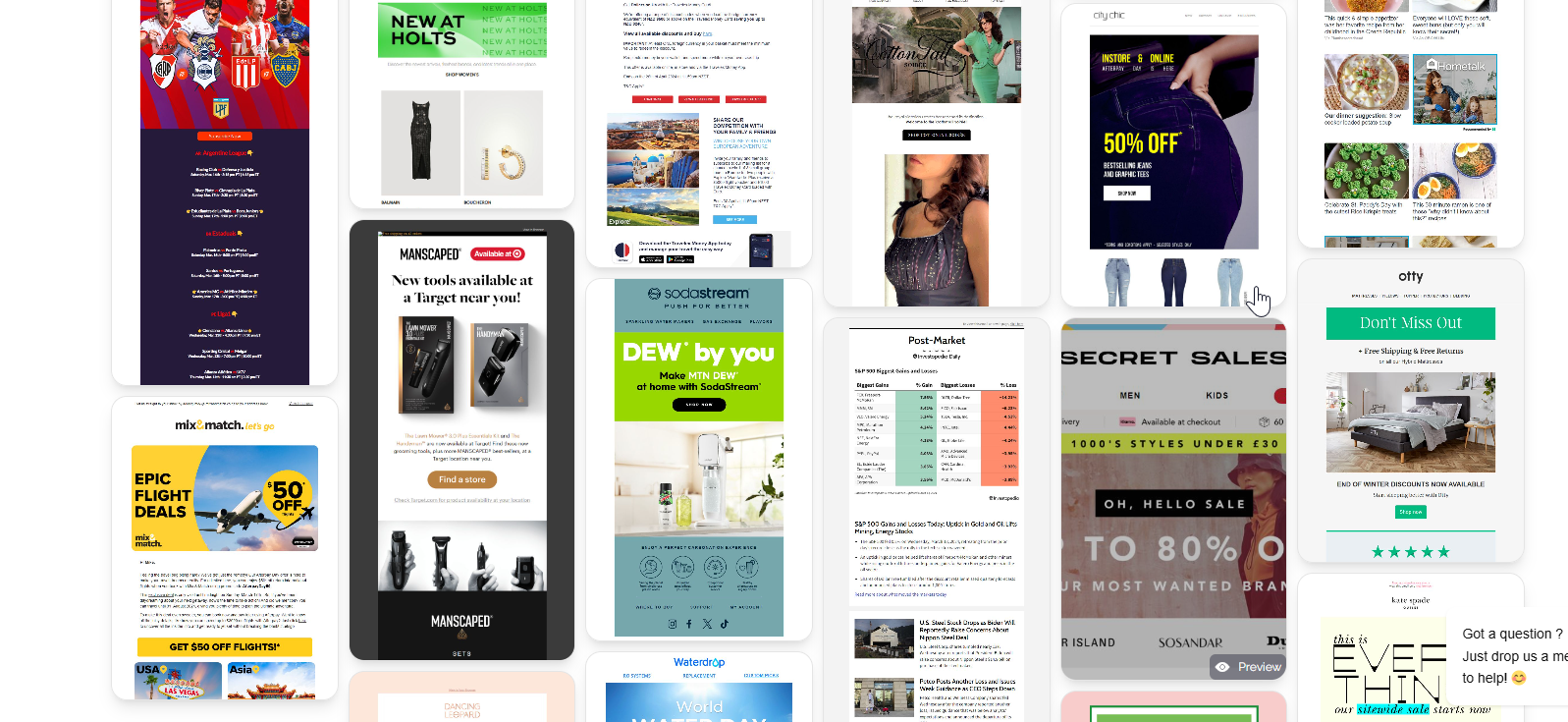
Browse MailGlider to see how brands across industries tailor their email campaigns by audience — useful context for how real segmentation decisions play out in campaign design and copy.