 | Motionflare● |
| Meet Motionflare UI 2.0: more models, visual edits.Hi there, Motionflare UI 2.0 is here — with a cleaner workflow, more model choice, and faster ways to refine every video. Everything is live now. | From idea to finished video, with less friction. The redesigned experience keeps the path clear from website or prompt to final edit, with every important option — including 30s and 60s durations — within easy reach.  | Efficiency, balance, or quality — you choose. Go efficient with MiniMax M3, choose a balanced option with Grok 4.5 or Gemini 3.5 Flash, or prioritize quality with GPT 5.6 Terra and Sol. Pick what matters most for every project. 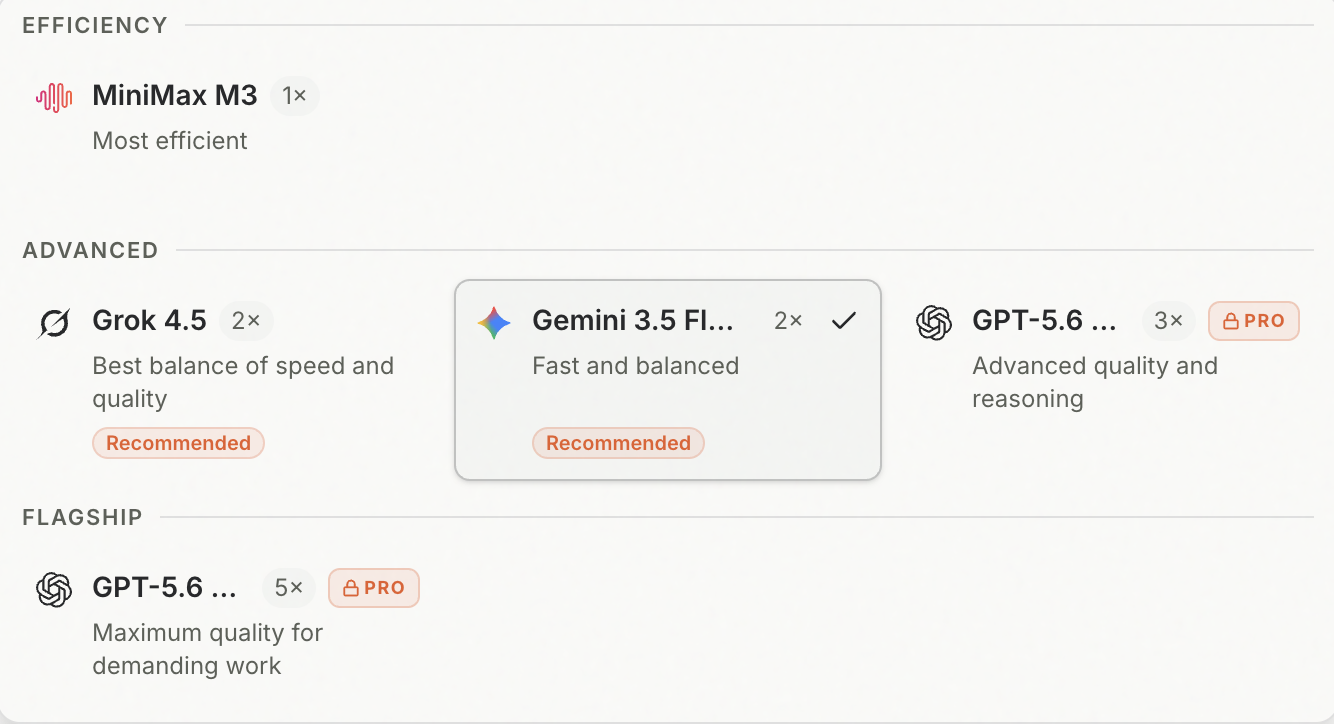 | Update on-screen text in seconds. Fix a typo, replace a URL, or rewrite a headline for free — while keeping the scene’s animation, voice-over, subtitles, timing, and layout exactly as they are. 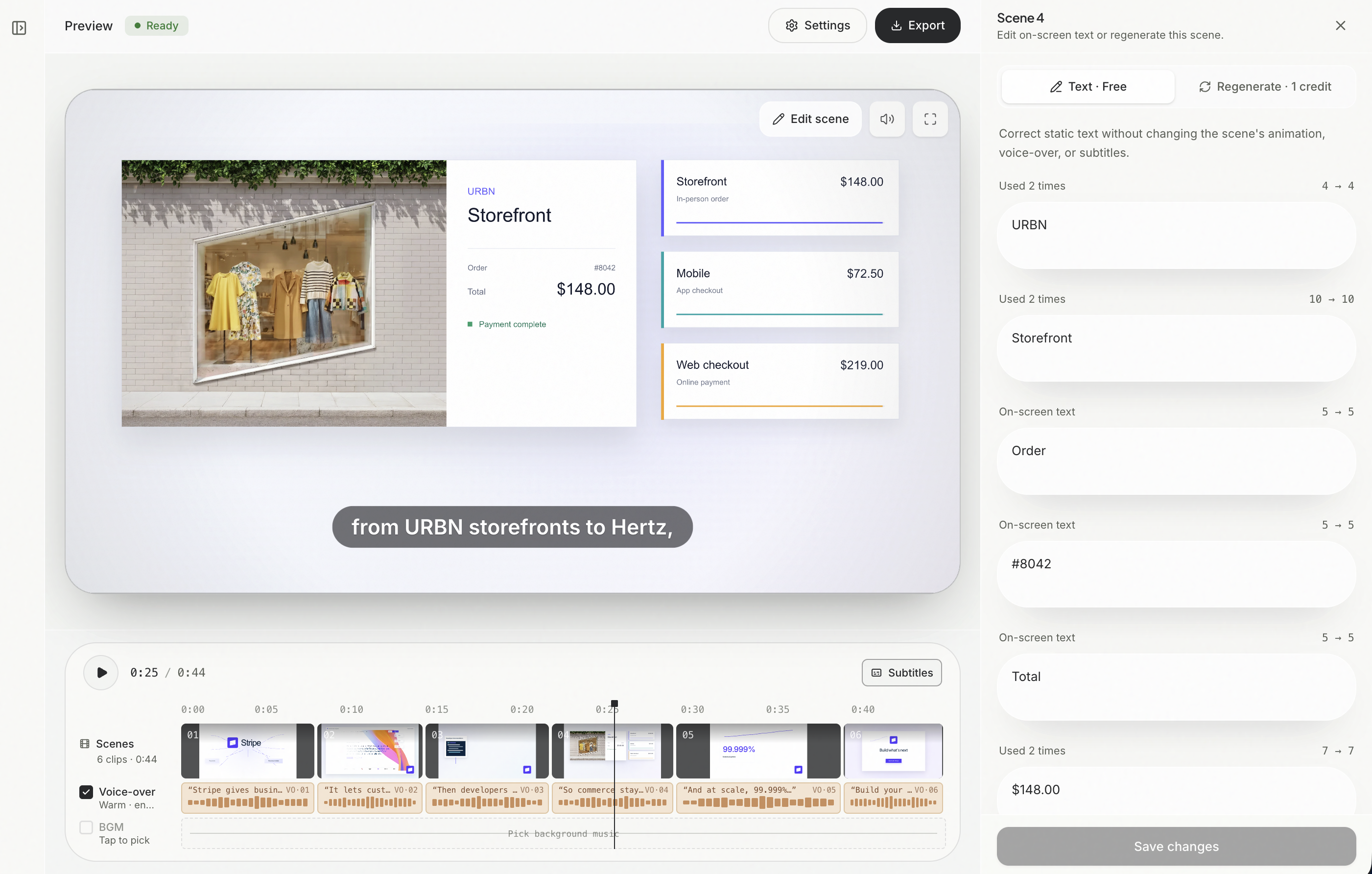 | Keep refining after the video is ready. Change the logo, watermark, background music, or voice without starting over. When you switch voices, your finished visuals stay intact. 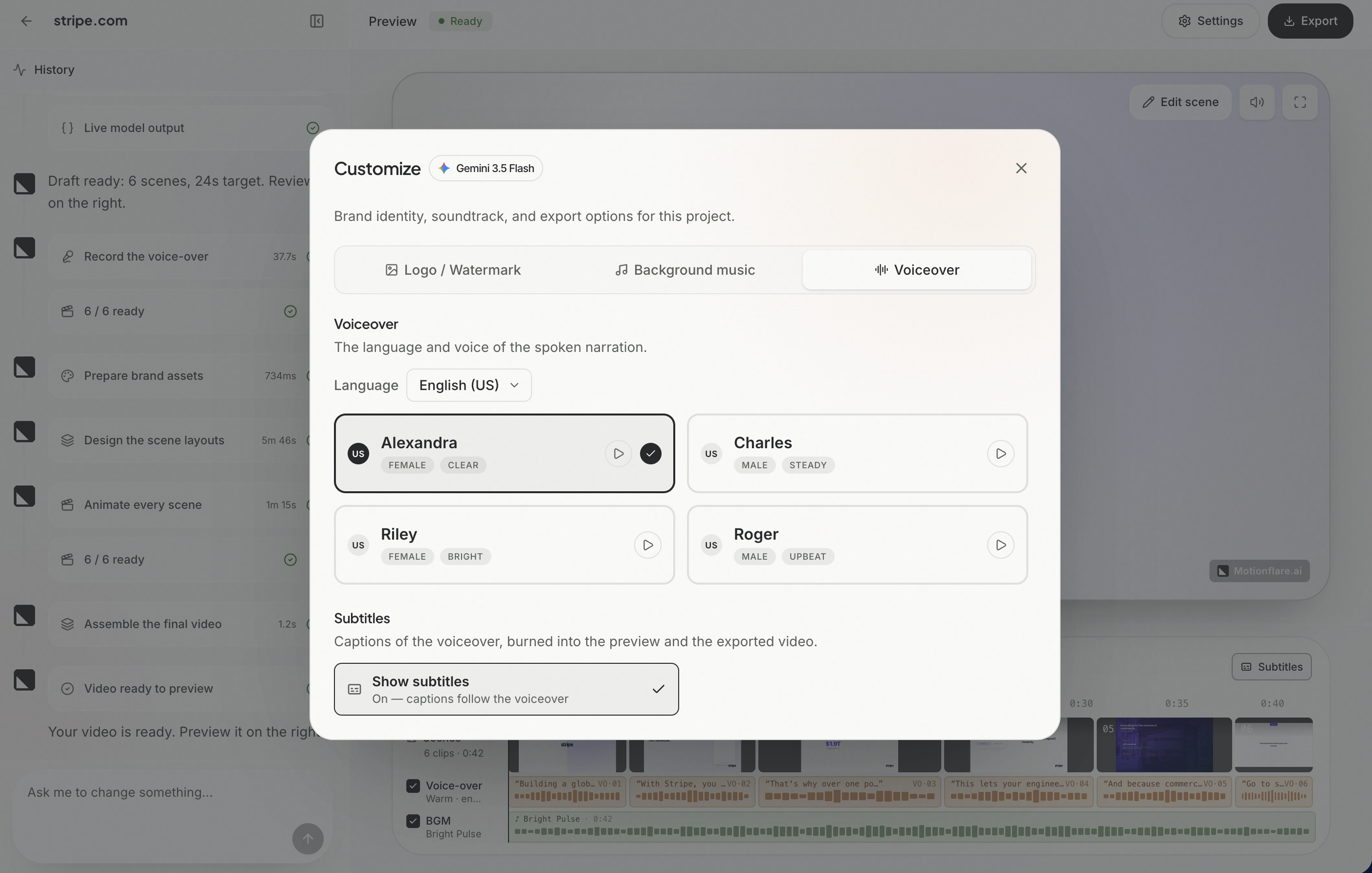 |
| Explore what’s new | Hit reply and tell me which update you’ll try first — or what would make Motionflare even better. I read every email myself.
Joey, Founder | Motionflare.ai You received this because you signed up at motionflare.ai.
Unsubscribe |
|
|
|